
For Organisers
Activities
Build your itinerary, set costs, track RSVPs, and archive activities.
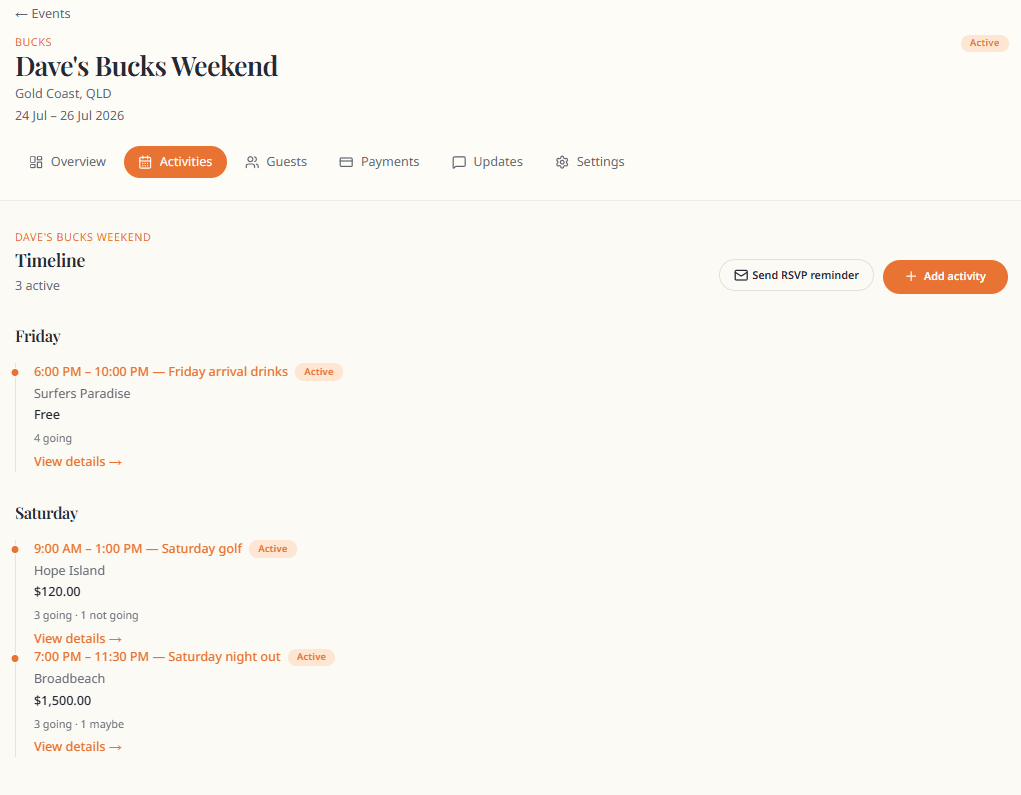
Activity list
Activities shows your timeline in chronological order.
- Add activity — create new
- Send RSVP reminders — bulk email for pending RSVPs
- Archived section at the bottom for retired activities
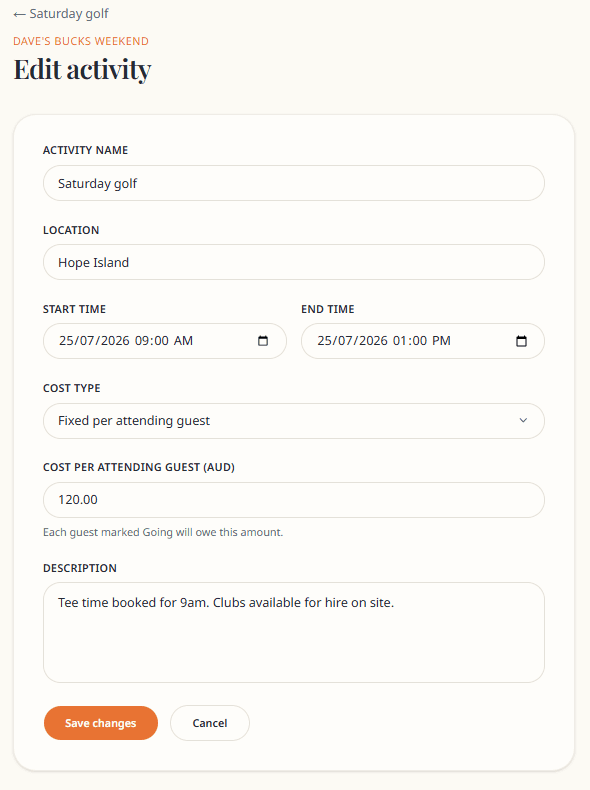
Create or edit an activity
| Field | Notes |
|---|---|
| Activity name | e.g. "Saturday boat day" |
| Location | Shown on timeline |
| Start / End time | Drives timeline order |
| Cost type | Free, fixed per guest, or total split |
| Cost amount | In dollars; drives payment splits |
Cost types
- Free — no payment item created
- Fixed per attending guest — each Going guest pays the full amount
- Total split by attending guests — total divided equally among Going guests
Changing cost or RSVP counts triggers payment recalculation. See Payments explained.
Activity detail
From the list, click an activity to see:
- Full details (when, cost, location, description)
- RSVP counts — Going, Maybe, Not going, Pending
- Edit and Archive actions
RSVP reminders
When guests have not responded, use Send RSVP reminders from the Activities page.

Archive an activity
Archived activities:
- Disappear from the active guest itinerary
- Keep their record for you
- Stop generating new RSVP prompts on the active timeline
Guests who already RSVP'd retain their response in your records.
RSVP tracking (organiser)
RSVPs are per activity. Guests choose Going, Maybe, or Can't make it on their hub.
You see aggregate counts on each activity and per-guest summaries on guest profiles.
Tips
- Build the full itinerary before sending invites
- Use Maybe-friendly wording in descriptions if attendance is uncertain
- Link shared costs to a specific activity when splitting among "going" guests only